Record Batting Data
-
Batting Data
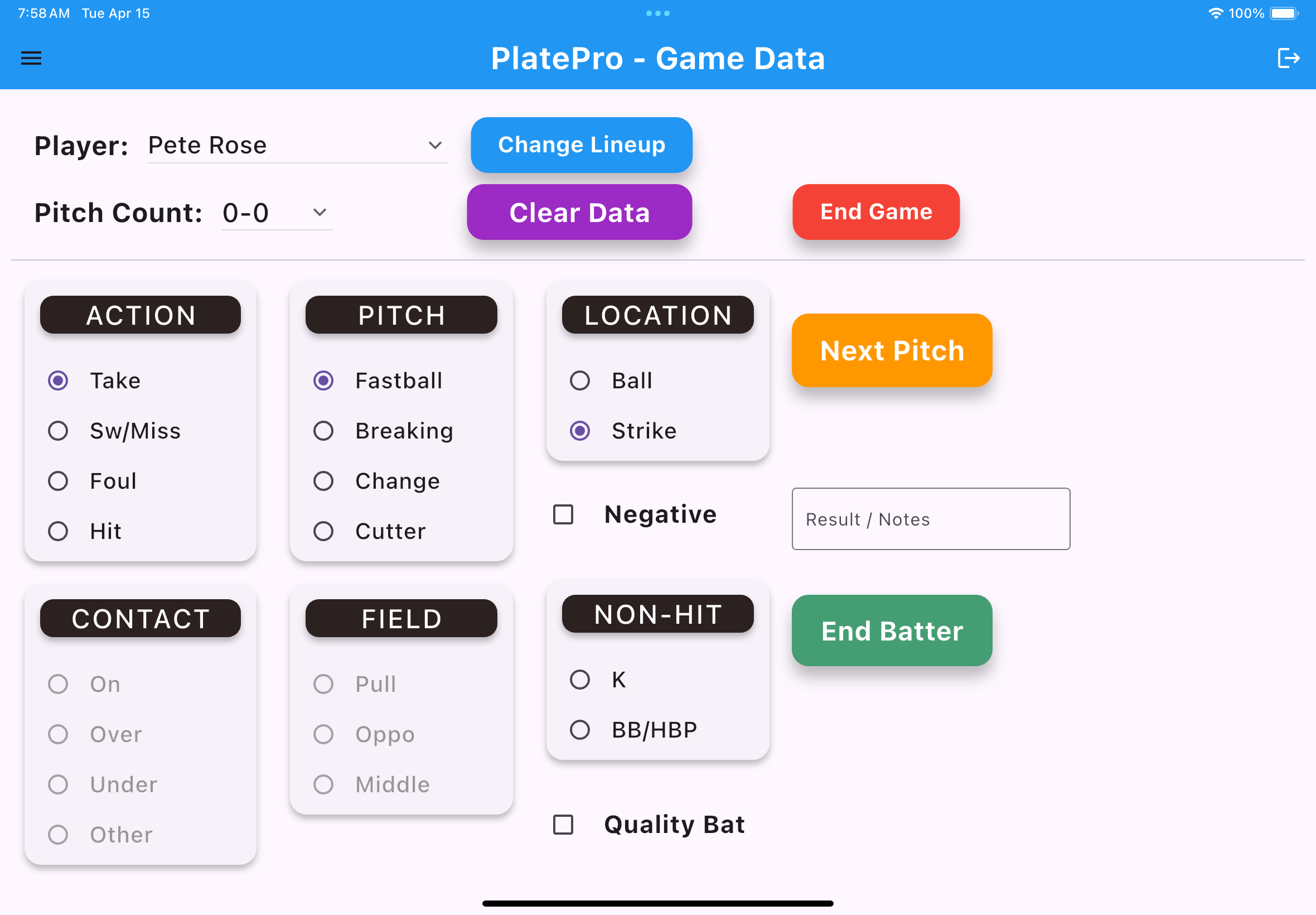
- 1. Select the appropriate 'Action', 'Pitch', and 'Location' values for each pitch count
-
Additional Hit Data
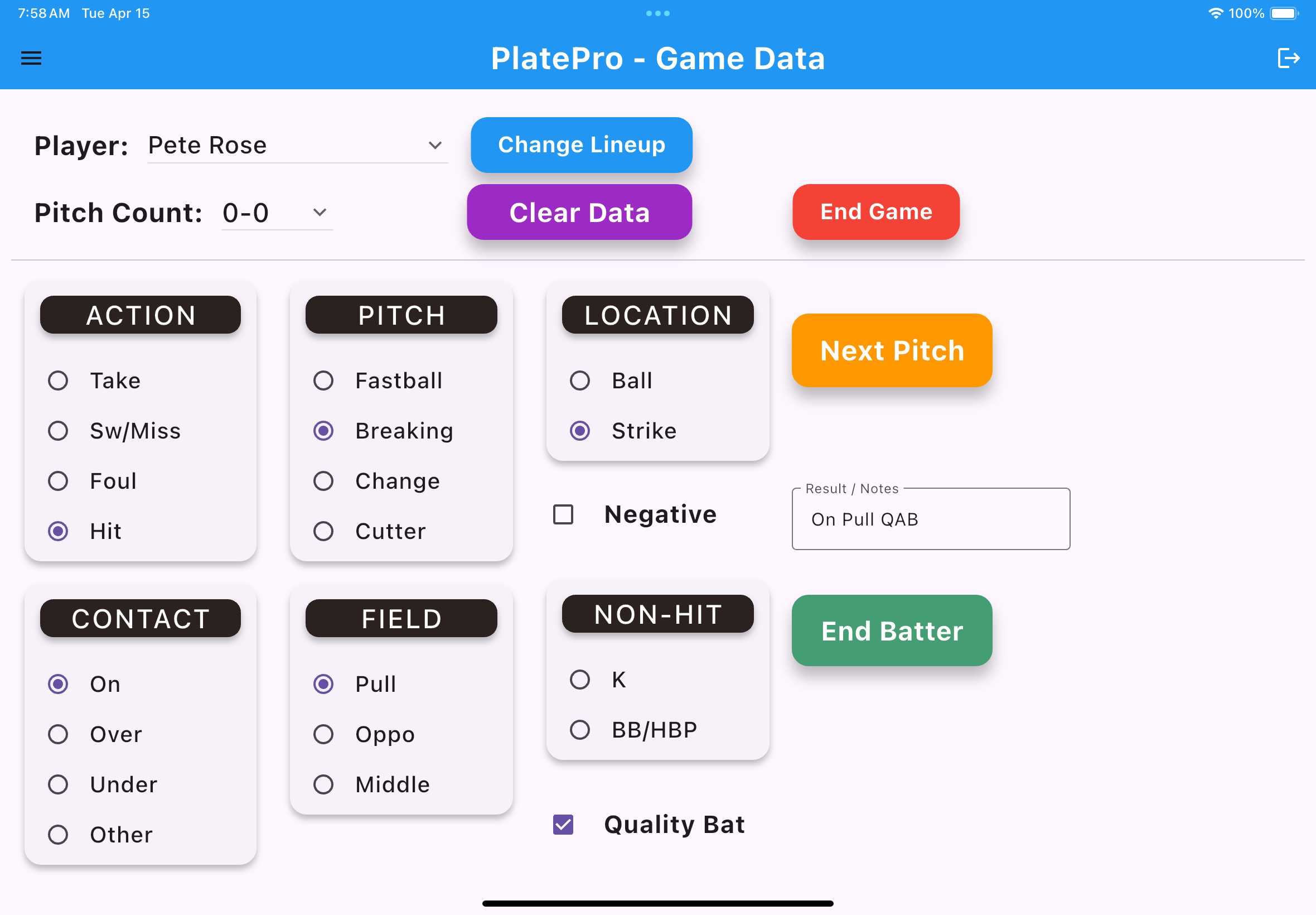
- 1. Select the additional 'Contact', 'Field' values when a 'Hit' is recorded
- 2. Select 'Quality Bat' and 'Negative' values when you deem necessary.
-
End Game
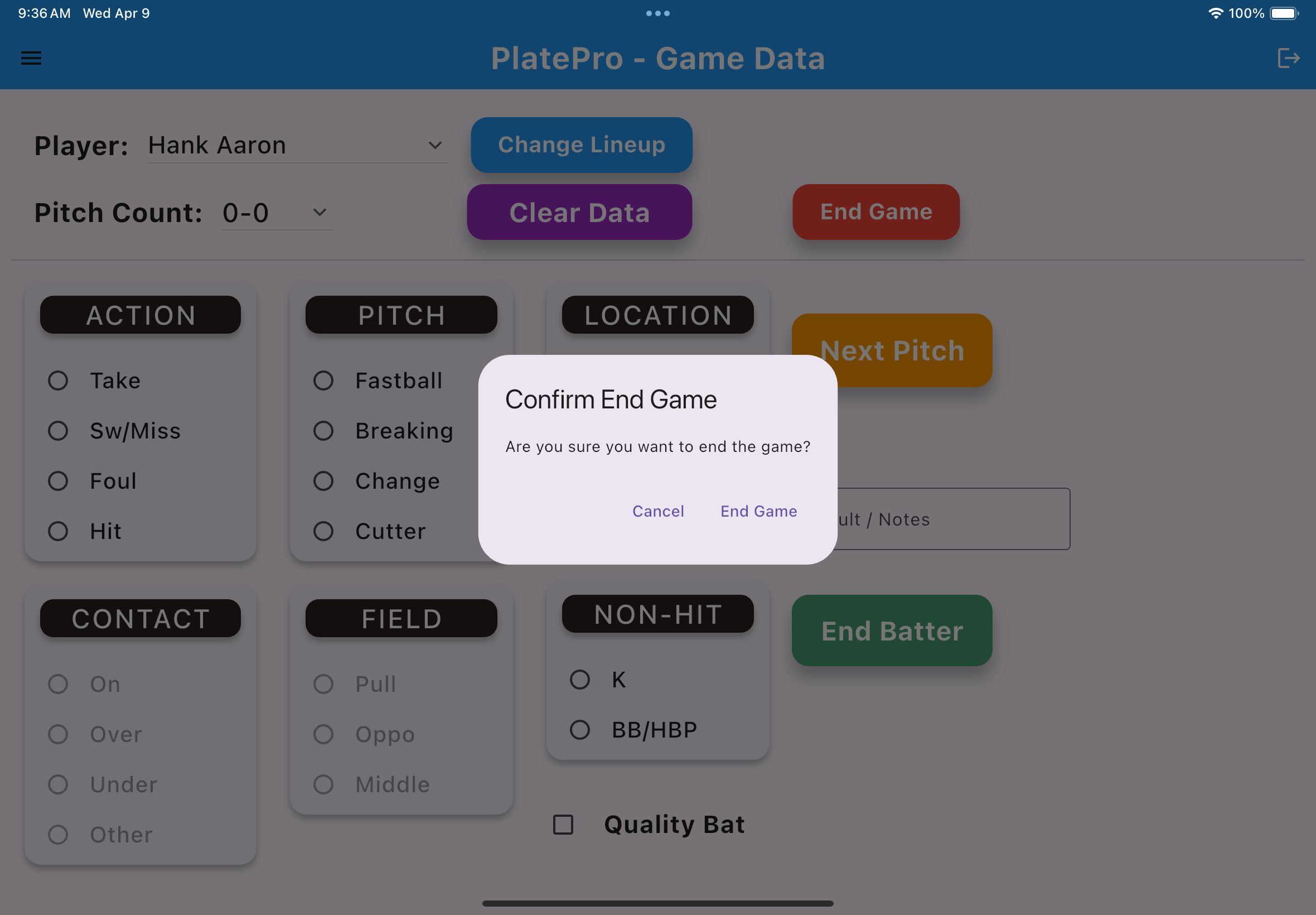
- 1. Select the 'End Game' button
- 2. Confirm you want to end the current game